
Case study / Game UI and systems
Seal the Deal
The UI for an online team brawler, from the first button to the HUD.
Seal the Deal is a team-versus-team brawler for up to eight players, racing to carry a briefcase to the roof of an office tower. I started the project and lead its programming, and I own the UI: a shared kit, the menus, settings and the in-game HUD.
In development for Steam
- Role
- Lead programmer and UI, in a team of three
- Built with
- Unity 6, URP, C#, uGUI, TextMeshPro
- Input
- Keyboard and mouse, Xbox and PlayStation pads
- Status
- In development
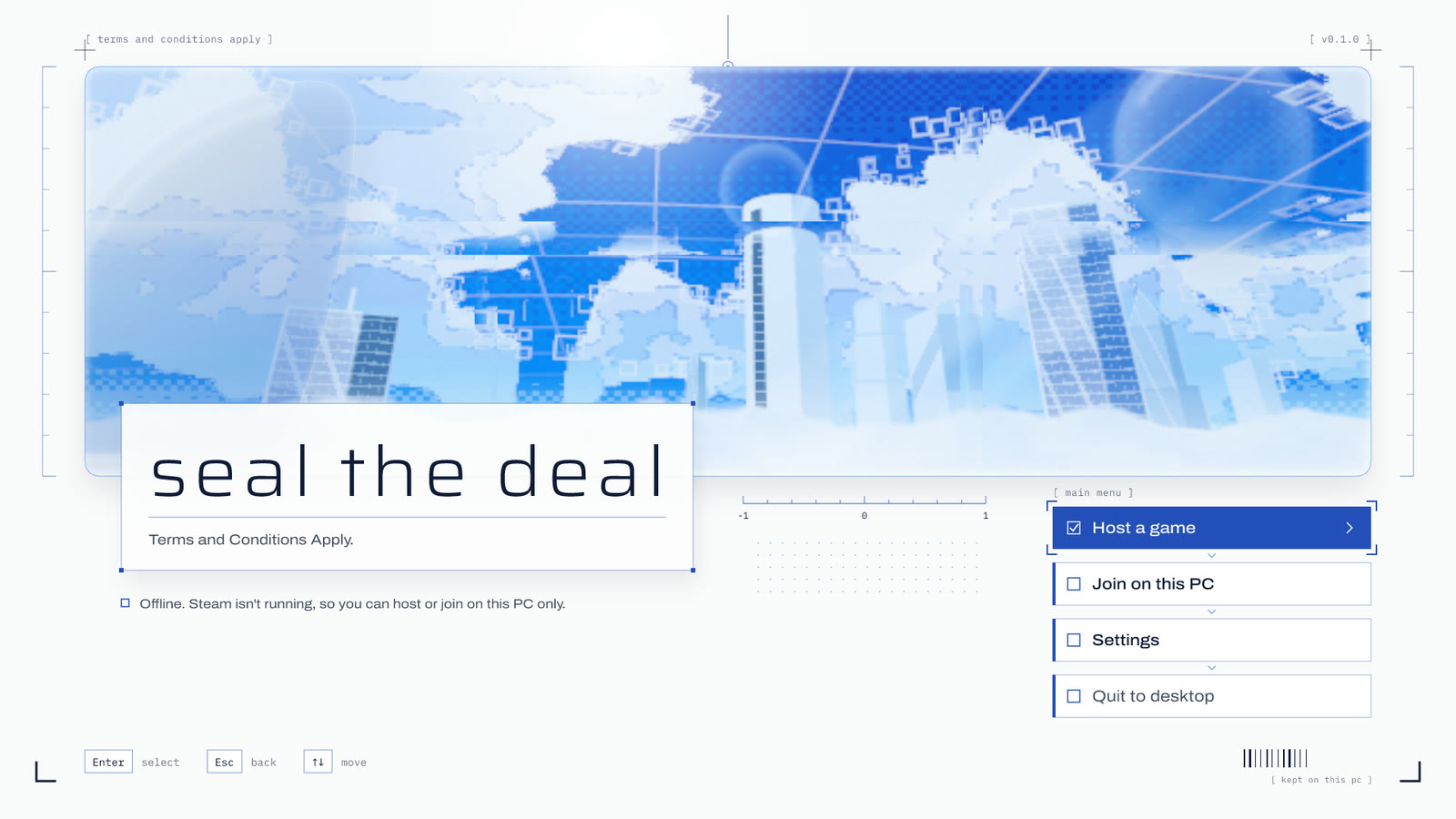
Look shipped. Answer every input.
The goal was a UI a stranger would take for a finished game: light glass and paper-white plates over the game's own sky, thin type, hairlines and brackets, and no dark panels.
The feel is borrowed from the Wii and DS menus rather than their look. Hover grows and settles, a press squashes, focus brackets snap into place, and screens slide or zoom instead of cutting. Every input has a sound.
One kit. Every screen on it.
The UI kit
Everything sits on one kit: design tokens, buttons, settings rows, a focus frame, a motion driver and a sound hub. A screen stack moves between screens with a pane slide, cloud wipe, frame zoom or fade.
Keys and pads are locked out while a transition plays, so a fast double press can't land on a screen that is still arriving.
Settings that stick
Video, Audio, Controls and Accessibility tabs, switched with Q and E. Values save between launches, and volume is written when you leave the screen rather than on every slider step.
Key hints name the device you last touched: keys, Xbox buttons, or Cross, Circle and L1 on a PlayStation pad.
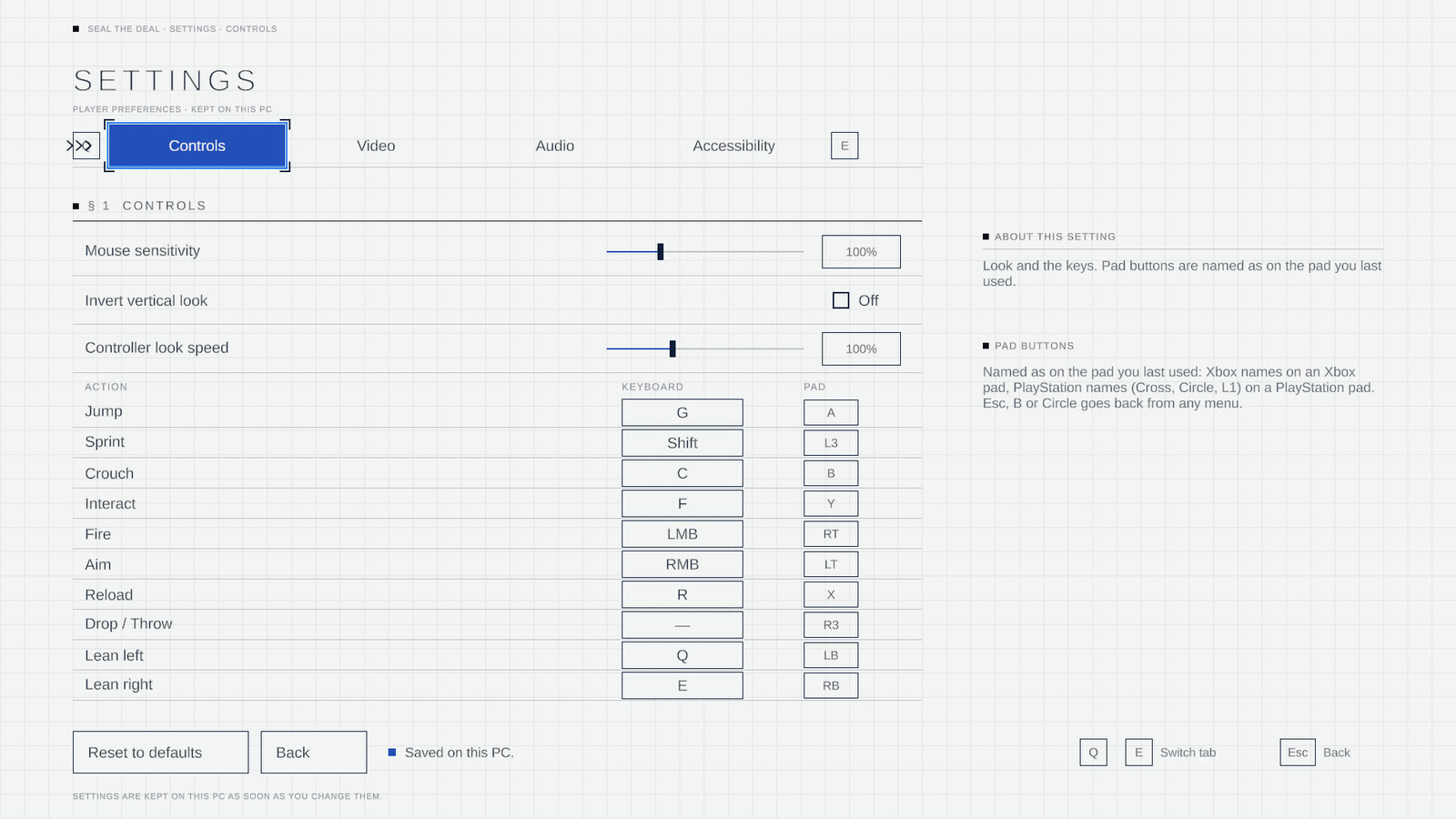
Rebinding without traps
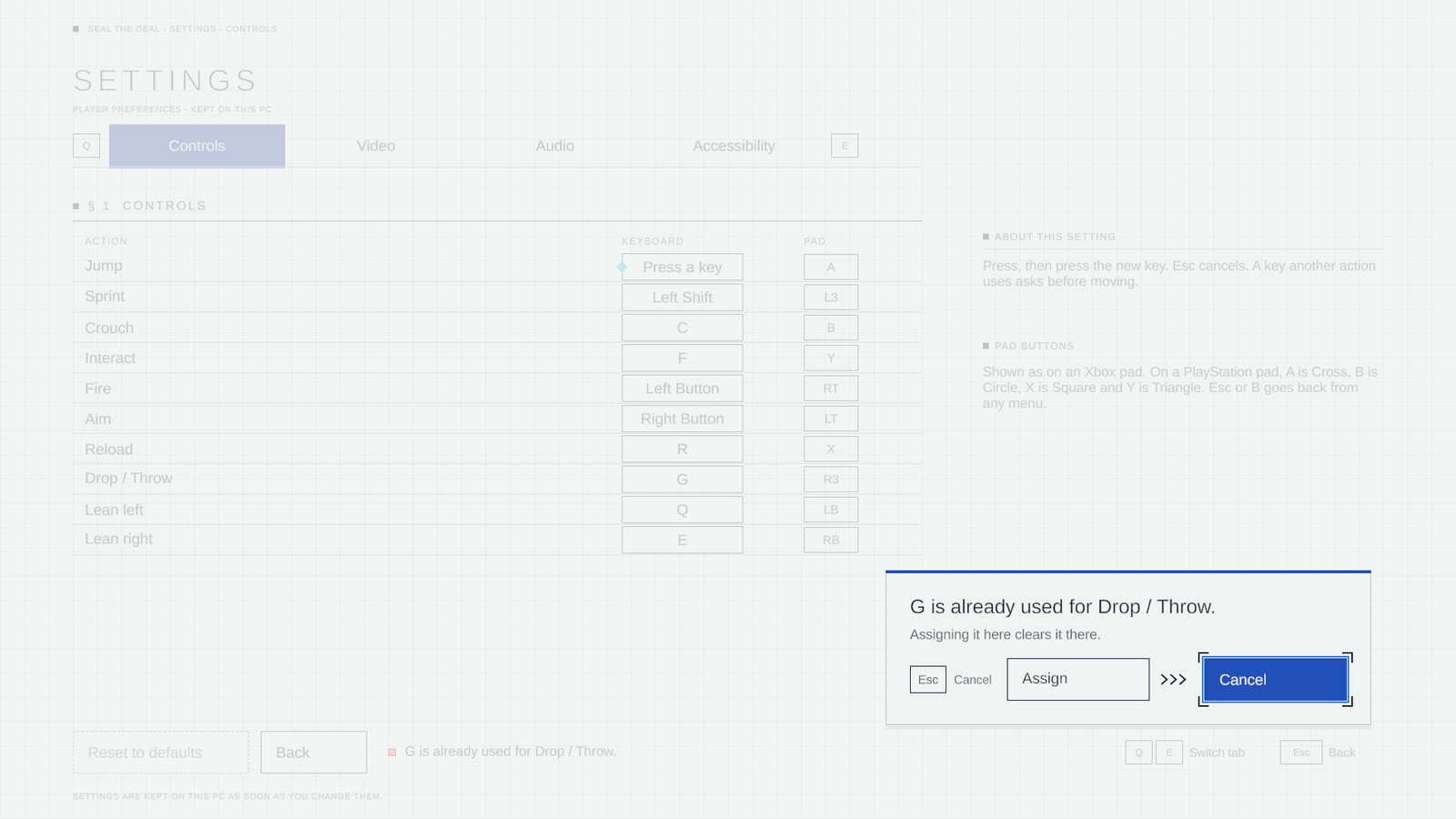
Press a row, then press the new key. If another action already uses it, a dialog says which one and asks before moving it. Cancel is the default, so a stray Enter changes nothing.
Accessibility
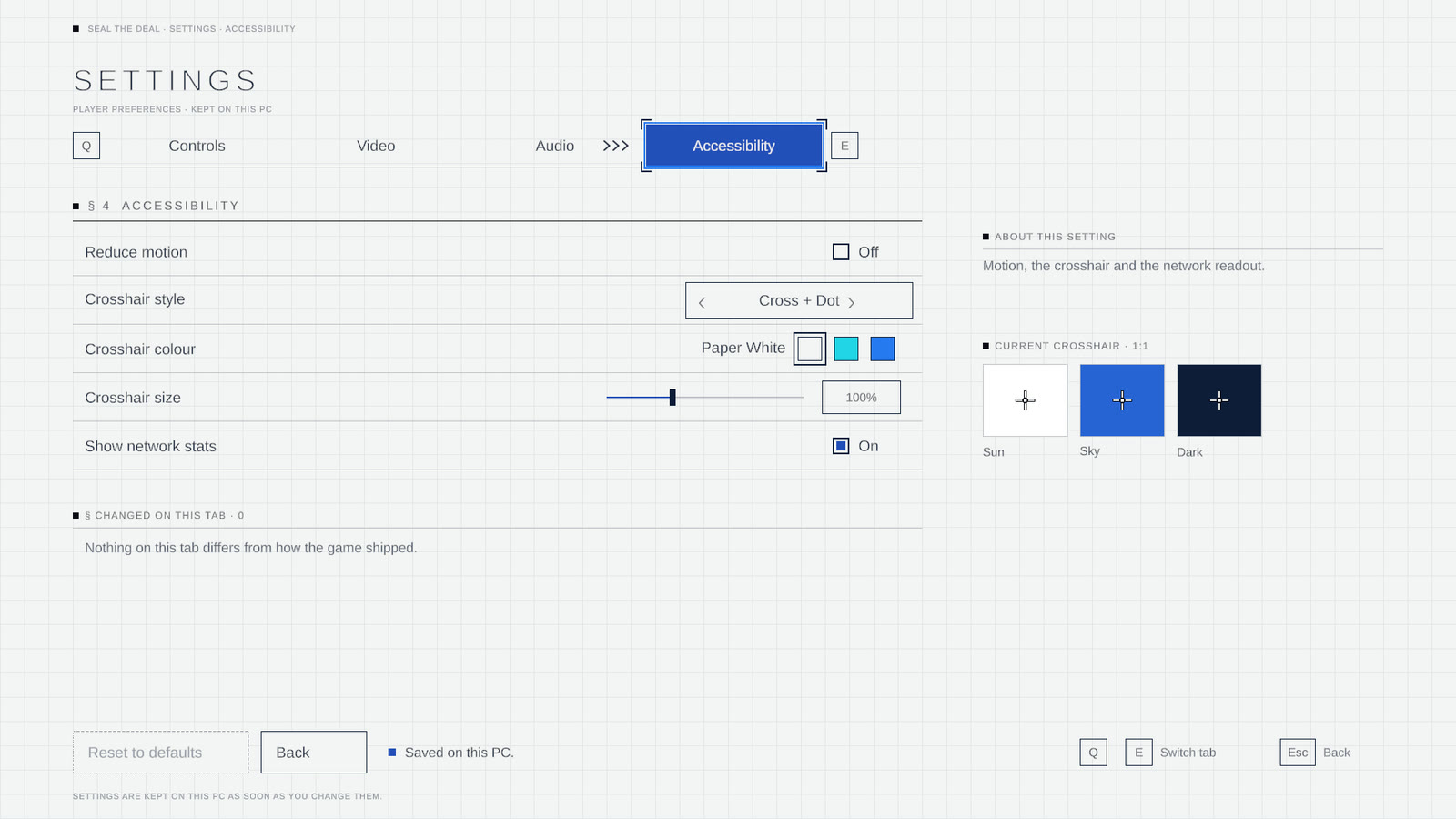
Reduce motion is one switch for the kit's animations. The crosshair has its own editor for style, colour and size, previewed at 1:1 on a bright, a sky and a dark backdrop, so you can check it before a match.
Each tab lists what you changed from the defaults, so nothing is set and forgotten.
In the match
The HUD runs on the same kit, on frosted glass in URP with a no-blur fallback: the match clock and floor ladder, a briefcase marker that points off screen, hit markers, ammo and reload, pick-up prompts and name plates over heads. It is being restyled to match the menus, so it isn't shown here yet.
I lead the code. The UI is mine.
I started the project and wrote most of its code. Beyond the UI, that includes the Steam lobby on FishNet, the first host-authoritative movement, the briefcase game mode with its floor gate and match clock, guns, health and breakable glass, items and pick-ups, and the tower builder.
Harvey built the first-person view, the network switchboard and voice chat, and now owns movement. Alex builds the character animation, ragdolls and the office tower's environment kit.
I write the UI code with Anthropic's Claude: I design each screen, direct the work, review it and test it in Unity. The title image and its motion clip are design mockups; the settings captures come from the game running in the editor.
Back to all work